Full Guide
How to Use MailerLite for Small-Business Email Marketing: The Full Guide
This full guide turns the quick MailerLite decision into a controlled implementation process. It covers the subscriber journey, campaign approval, groups and segments, automation, forms, sender authentication, reporting, plan fit and a safe internal trial.
Main Guide
Start with the subscriber journey, not the software
Write the complete journey before configuring MailerLite: how a person discovers the signup, what they are promised, what evidence of permission is retained, which messages follow, how preferences change and how suppression or deletion is handled. This operating map is more durable than a feature checklist because it exposes responsibilities that remain with the business whatever platform it chooses.
Keep the first journey deliberately small. One form, one audience purpose, one welcome message and one regular campaign are enough to test the important controls. Do not begin with several lead magnets, overlapping lists and branching automations that nobody can explain end to end.

Build campaigns around a repeatable approval process
Create a short campaign checklist covering the audience, lawful basis or consent record, sender identity, subject line, links, accessibility, mobile rendering and unsubscribe route. Use test sends to representative inboxes and require a named person to approve the final audience and content. Templates can improve consistency, but they should not silently preserve an outdated claim, offer or footer.
Use groups and segments deliberately
MailerLite describes groups as deliberately assigned collections and segments as condition-based collections that update as subscriber data or behaviour changes. Decide which fact is authoritative before creating either. A manually assigned customer-interest group and a dynamic engaged-subscriber segment have different owners, update rules and risks.
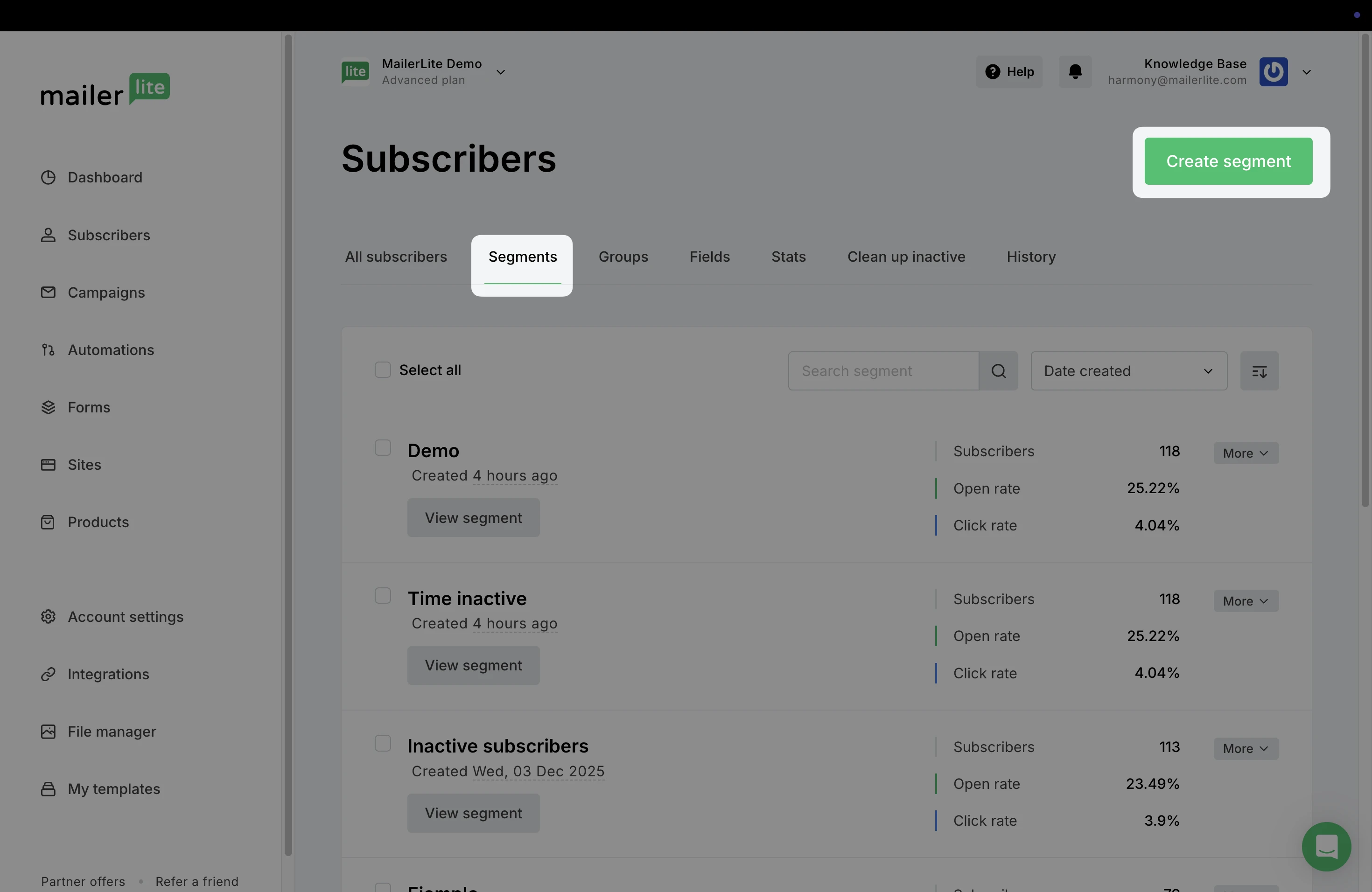
Record the conditions in plain language and test both inclusion and exclusion. Review what happens when a field becomes blank, a person belongs to several collections or an integration stops updating. Exclusion should be treated as a safety rule, not a cosmetic filter.
Keep the first automation bounded
An automation starts with a trigger and then processes rules or actions. For a first trial, use a low-risk trigger such as joining a clearly named group, add one welcome email and include a delay before any follow-up. Test with internal addresses, inspect the activity record and document how the workflow is paused when a step, form or connected object is removed.
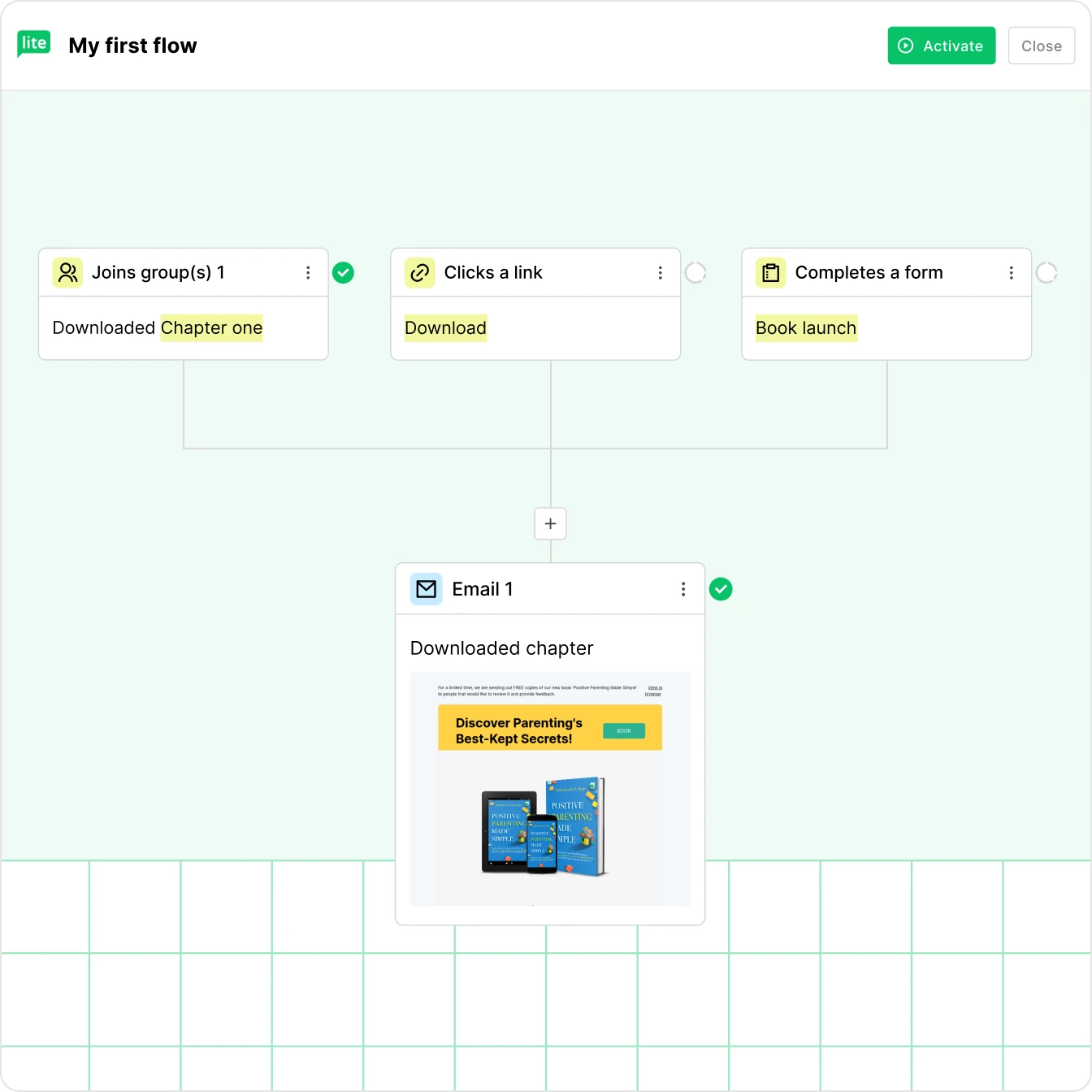
Avoid treating automation as permission to send indefinitely. The message promise, recipient state and product facts can all change. Schedule reviews for active workflows and retain the ability to stop them without losing suppression evidence or creating duplicate sends.
Forms and landing pages need an evidence trail
Use specific signup copy that states what will be sent and by whom. Record the form version, confirmation setting, required fields and where the consent evidence is stored. Collect only information that has a defined use. A landing page can shorten the journey, but it does not justify vague consent or unnecessary profiling.
Authenticate the sender and test delivery
Complete the platform’s current domain-authentication steps and verify the records independently. Send to a controlled set of addresses across the inboxes that matter to the business. Check sender display, reply handling, links, images, plain-text meaning, mobile layout and the unsubscribe flow. Deliverability remains affected by list quality, content, reputation and recipient behaviour; it is not a feature a vendor can guarantee.
Read reporting as operational evidence
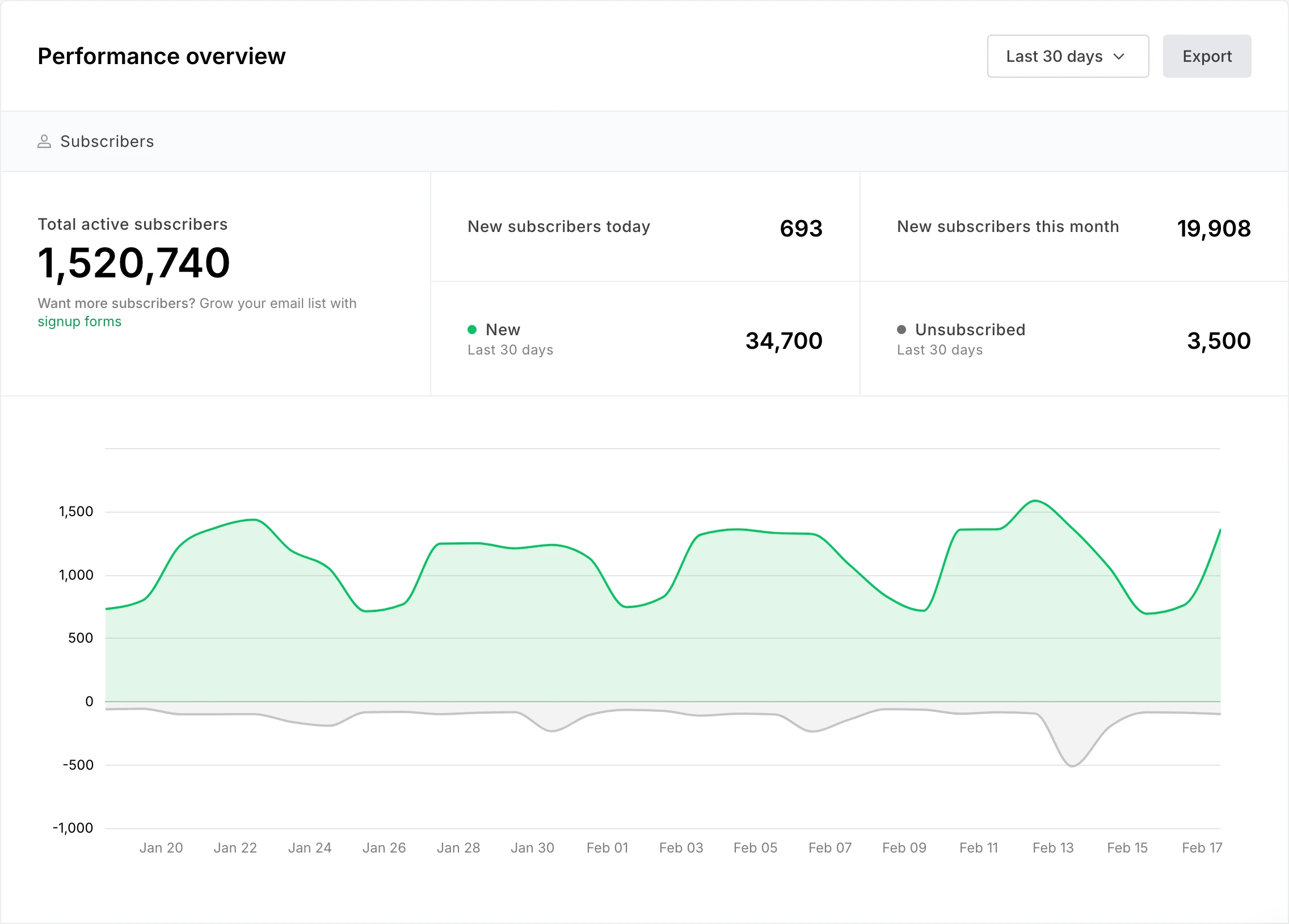
Use delivery failures, unsubscribes and complaints as operational signals. Opens can be affected by privacy features and should not be treated as exact human attention. Clicks show interaction with a tracked link, not business value on their own. Define the small number of decisions the report should support before collecting more metrics.
Compare the current plan, not an old price
Plan boundaries, subscriber allowances, user access, support, templates and automation capabilities can change. Price the real list size and required workflow, including the likely growth band, rather than relying on an introductory headline. Record the date and plan used for the decision and check it again before purchase.
When another platform may fit better
Compare a broader platform when the business needs a central contact model across several channels, complex sales journeys or specialist transactional delivery. Compare a simpler newsletter product when publishing is mostly linear and the wider feature set would add ownership without useful control. Use the full email marketing tools comparison to test MailerLite, Brevo and Mailchimp against the same subscriber journey.
A controlled MailerLite trial
- Write one subscriber promise, owner and stop condition.
- Create one form using internal test addresses and record the permission evidence.
- Configure sender authentication and verify the records.
- Build one welcome email and one regular campaign from an approved brief.
- Create only the group or segment required by that journey.
- Test subscription, confirmation, sending, exclusion, unsubscribe and export.
- Review errors, corrections, support needs and current plan fit before importing real subscribers.
Final decision
MailerLite is a credible option for a small business that wants a focused email, signup and automation workflow and is prepared to operate it responsibly. The decision should remain unresolved until the business has proved permission records, sender setup, list structure, approval, unsubscribe handling and the exact current plan with a representative internal trial.
Sources and review notes
- MailerLite email marketing features
- MailerLite automation features
- MailerLite segment guidance
- MailerLite automation workflow guidance
- MailerLite domain authentication guidance
- MailerLite Affiliate Program Terms
- ICO direct marketing guidance
GrowthPilot may earn a commission from qualifying purchases through commercial links, at no additional cost to you. Commercial availability does not determine inclusion or assessment.